Need to spell out a check, draft a contract, or settle a homework debate about how to write a number? The Number to Words Converter above instantly turns any digit — from seven to one hundred forty-three billion — into its correctly written-out form, and it flips the other direction to convert words back into numbers too. Specifically, the tool handles hyphens for compound numbers, the optional “and” used in British English, cents written as fractions for checks, and large-number names all the way through nonillion. As a result, you no longer have to remember every spelling rule yourself.
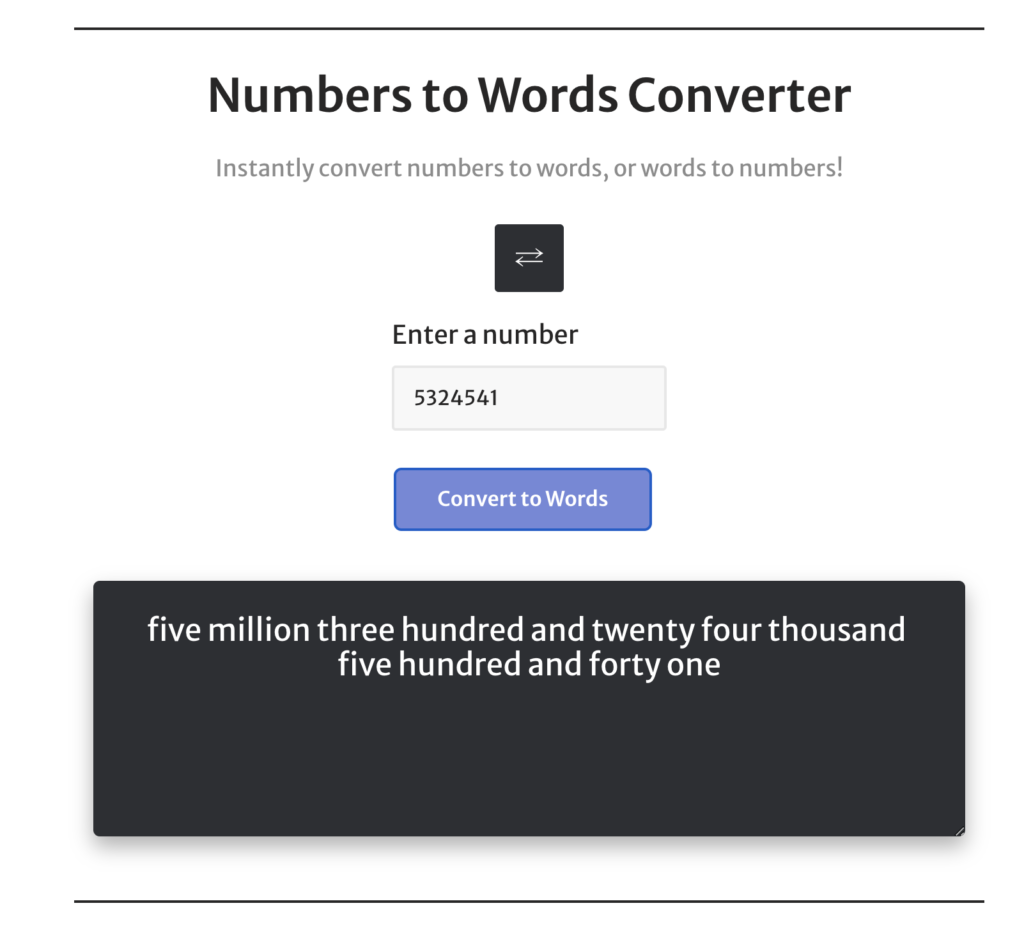
Numbers to Words Converter
Instantly convert numbers to words, or words to numbers!
How the Number to Words Converter Works
Most people think of number-to-word conversion as a simple substitution: 7 becomes “seven.” However, the rules become messy fast once a number gets longer than a single digit. For example, 1,234 is “one thousand two hundred thirty-four” in American English, “one thousand two hundred and thirty-four” in British English, and “One thousand two hundred thirty-four and 00/100 dollars” on a check. The Number to Words Converter on this page handles all three formats by breaking the input into chunks of three digits — units, thousands, millions, billions — and then naming each chunk separately.
Behind the scenes, the tool follows the short-scale system used in the United States and most English-speaking countries today. Each three-digit group is converted using a small core vocabulary (one through nine, the irregular teens, and tens like twenty and thirty), and then the group gets capped with the matching scale word. Therefore, 5,250,000 becomes “five million two hundred fifty thousand.” Meanwhile, decimals are handled separately: the integer portion is spelled out, the word “point” appears next, and each digit after the decimal is named individually. So 3.14 reads as “three point one four.”
The converter also supports negative numbers (prefixed with the word “negative”) and very large values up to roughly 30 zeros. As a result, you can convert anything from a $14.50 receipt to a one-billion-dollar contract figure without manually counting place values. Notably, the tool runs entirely in your browser, so nothing you type is sent to a server — useful when you’re working with sensitive financial figures.
The Rules Behind the Number to Words Converter
Even though the tool does the spelling for you, it helps to understand the underlying rules — especially when you’re proofreading a legal document or coaching a student through long division. There are essentially four rules that govern almost every conversion in modern English.
Hyphens for Compound Numbers
Numbers between 21 and 99, when their second digit isn’t zero, take a hyphen. For instance, 42 is “forty-two” and 87 is “eighty-seven.” However, round numbers like 30, 70, or 90 do not get a hyphen because there is nothing after the tens place. Importantly, the hyphen rule applies inside larger numbers too: 1,234 is “one thousand two hundred thirty-four,” with a hyphen only between thirty and four. The hundreds, thousands, and millions positions never take a hyphen between them.
The “And” Question (American vs. British English)
British and American English handle the word “and” differently. In American style, “and” is reserved for the decimal point, so 105 is “one hundred five.” In British style, “and” sits before the last two digits, so the same number becomes “one hundred and five.” Both versions are correct in their respective contexts. Therefore, when the Number to Words Converter outputs a result, double-check which style your audience expects — academic publishers, banks, and U.S. legal templates almost always follow American conventions.
Decimal Points
For decimals, you have two main options. In casual writing, use the word “point” followed by each digit individually: 7.25 becomes “seven point two five.” In financial writing — especially on checks — express the cents as a fraction over 100 instead, so $7.25 becomes “Seven and 25/100 dollars.” Notably, the fractional format is the legal standard for U.S. checks because it leaves no room for ambiguity about exactly how many cents are owed.
Style-Guide Thresholds
Most major style guides give you a cutoff for when to spell numbers out and when to use figures. AP Style spells out zero through nine and uses numerals from 10 onward. Chicago Manual of Style, by contrast, spells out zero through one hundred. APA Style typically spells out numbers under 10 in narrative writing. Generally, the higher the formality, the more you spell out — and the larger the number, the more often you’ll mix words and figures together (for example, “$3.5 million” rather than “three million five hundred thousand dollars”). Pick a style guide before you start a long document, then apply it consistently.
When to Use a Number to Words Converter
The Number to Words Converter saves the most time in three specific situations. Each of these contexts has real consequences if you spell a number wrong, so the few seconds the converter takes are worth it.
Writing Checks
U.S. banks treat the written-out amount on a check as the legally controlling figure. Therefore, if the numeric box says $1,250 but the words read “twelve hundred fifty,” the bank pays the smaller amount on the words. Furthermore, the spelled-out version discourages tampering — it is harder to convert “two thousand” into “twenty thousand” than it is to add an extra digit to a numeric box. In other words, spelling the amount accurately is not optional; it is the part that legally matters.
Legal and Financial Documents
Contracts, promissory notes, settlements, and loan agreements all spell out monetary values. Typically, you’ll see a dual format: “Thirty Thousand One Hundred and Twenty-Five Dollars and 75/100 ($30,125.75).” This redundancy exists for the same reason as on a check — if a number gets altered, the words still hold. In fact, many real-estate purchase agreements and corporate filings explicitly state that the spelled-out amount is binding if the two ever disagree.
Academic and Formal Writing
Whenever a number begins a sentence, you must spell it out. “27 students attended” looks unfinished; “Twenty-seven students attended” reads correctly. Additionally, journals and book publishers often require spelled-out numbers for low integers in narrative passages. The tool above is especially useful for proofreading long manuscripts because it removes the guesswork from edge cases like 1,001 (“one thousand one”) versus 1,100 (“one thousand one hundred”). Both look similar at a glance, yet only one will match your draft.
How to Write a Check Using the Number to Words Converter
Even with a converter handy, it pays to know exactly what a bank looks for on the check’s amount line. Banks reject checks for tiny formatting issues more often than people realize, and the rules are surprisingly specific.
- Start at the far left. Begin the spelled-out amount at the very start of the line. This leaves no blank space ahead of your wording, which prevents anyone from inserting extra digits.
- Write the dollar portion in words. For $1,432, write “One thousand four hundred thirty-two.” Use a hyphen for compound numbers (thirty-two, ninety-nine, and so on).
- Use “and” only between dollars and cents. Do not write “One thousand and four hundred.” Instead, write “One thousand four hundred thirty-two and 50/100.” The single “and” should sit between the dollar and cents portions.
- Express cents as a fraction over 100. Fifty cents becomes 50/100. No cents becomes 00/100 or no/100. This format is the U.S. banking standard and what every teller expects.
- Draw a line to the end. After the fraction, draw a horizontal line to fill any remaining space on the amount line. Consequently, this blocks fraud-style additions to your check.
- Match the numeric box. The figure in the small box on the right should match your spelled-out version. If they disagree, the bank pays the words, not the digits.
For a quick reference, here is how common dollar amounts look spelled out for a U.S. check:
| Numeric Amount | Spelled Out for a Check |
|---|---|
| $25.00 | Twenty-five and 00/100 |
| $199.49 | One hundred ninety-nine and 49/100 |
| $1,500.00 | One thousand five hundred and 00/100 |
| $2,750.75 | Two thousand seven hundred fifty and 75/100 |
| $10,000.00 | Ten thousand and 00/100 |
| $143,250.50 | One hundred forty-three thousand two hundred fifty and 50/100 |
Converting Words to Numbers: The Reverse Mode
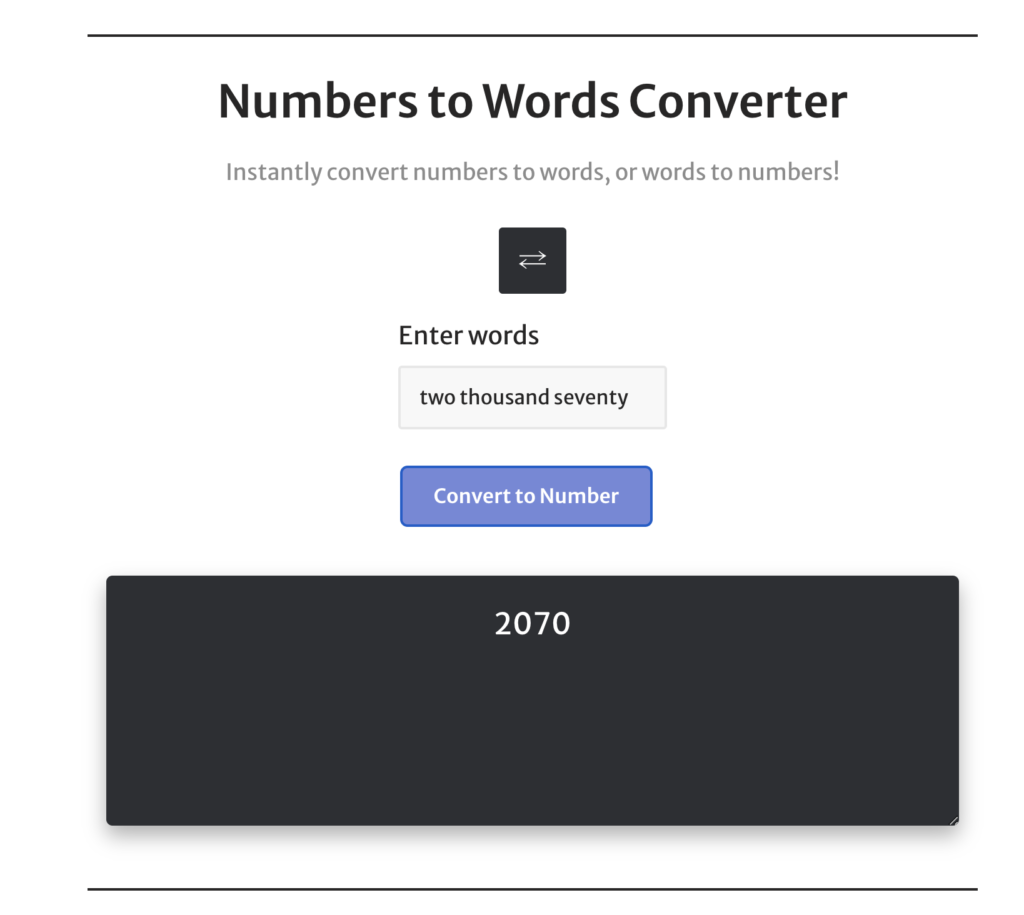
Click the small arrow icon at the top of the converter to flip its direction. In words-to-numbers mode, you can type something like “two thousand seventy” and the tool returns 2,070 instantly. This reverse function is more useful than it sounds — for example, transcriptionists, court reporters, and data-entry teams often deal with handwritten or dictated numbers that need to become clean digits in a spreadsheet.
Furthermore, the words-to-numbers mode is forgiving with spacing and capitalization. “Three Hundred and Forty-Five” returns 345 just as cleanly as “three hundred forty five.” Hyphens are optional in this direction, although they are still recommended in any final output you copy elsewhere. As a quick sanity check, the tool will refuse to interpret obviously broken phrases — “twelvety-three” or “five hundred million billion” — instead of guessing at what you meant.
Large Number Names From Thousand to Nonillion
Beyond a certain size, numbers stop having intuitive names. Most people use “thousand,” “million,” and “billion” comfortably, but trillion and beyond start to blur. The short-scale system used in American English follows a simple rule: each new name is 1,000 times bigger than the previous one. Here are the names and zero counts you’ll encounter most often:
| Name | Number | Zeros |
|---|---|---|
| Thousand | 1,000 | 3 |
| Million | 1,000,000 | 6 |
| Billion | 1,000,000,000 | 9 |
| Trillion | 1,000,000,000,000 | 12 |
| Quadrillion | 10^15 | 15 |
| Quintillion | 10^18 | 18 |
| Sextillion | 10^21 | 21 |
| Septillion | 10^24 | 24 |
| Octillion | 10^27 | 27 |
| Nonillion | 10^30 | 30 |
Worth noting: the British “long scale” used to define a billion as a million million (1,000,000,000,000), but the United Kingdom officially adopted the short-scale definition in 1974. As a result, “billion” now means 10^9 in essentially every English-speaking country, including the U.K. However, if you’re translating from a French, German, or Spanish source published before the late 20th century, double-check whether “billion” was used in the long-scale sense — getting that one wrong by a factor of a thousand can be embarrassing.
Common Mistakes the Number to Words Converter Solves
After watching thousands of inputs flow through this tool, a handful of mistakes pop up over and over. Knowing what they are will help you spot them in your own writing, even when you’re not using the converter on a particular passage.
- Missing hyphens in the tens. Writing “twenty two” or “fifty seven” without a hyphen is the single most common error. The hyphen is mandatory whenever both digits are non-zero.
- Mixing scales. “Twelve hundred thousand” is not standard English. Either write “one million two hundred thousand” or use figures (1,200,000).
- Pluralizing scale words. When used with a specific number, scale words don’t take an “s.” It’s “five million,” not “five millions.” Plural forms (“millions of dollars”) are reserved for vague quantities.
- Adding “and” mid-number in American English. “One hundred and twenty” is British. American style writes “one hundred twenty” and reserves “and” for the decimal or cents portion.
- Writing “no cents” the wrong way on a check. Banks accept “and 00/100,” “and no/100,” and “and xx/100.” However, they generally do not accept “and zero cents” written out — the fractional format is the convention.
- Forgetting to capitalize the first letter on a check. While the law doesn’t require capitalization, almost every U.S. bank expects it for clarity. Capitalize the first word and treat the rest as lowercase, just like a sentence.
Tips for Getting the Most From the Number to Words Converter
The Number to Words Converter is fast, but a few habits will help you get the cleanest output possible — especially if you’re using the result in a formal document where revisions are expensive.
- Strip commas before pasting. The tool accepts inputs with or without commas, but pasting “1,234,567” sometimes carries hidden formatting from spreadsheets. Therefore, plain text like 1234567 is more reliable in edge cases.
- Decide on style first. Pick American or British conventions before you copy the result. Then proofread for “and” placement consistently across the entire document, not just the converted line.
- For checks, always include the cents. Type “1500.00” not “1500” so the converter gives you the “and 00/100” suffix automatically. This is a small habit that saves a rejected deposit later.
- Use the reverse mode to verify. If you’re unsure about a hand-spelled number, switch the tool to words-to-numbers mode and check that you get the digit you expect back. It’s a quick proofread.
- Capitalize after pasting. The Number to Words Converter outputs everything in lowercase by default. If you need a sentence-case or all-caps version (common on legal documents), apply that formatting in your editor.
- Watch out for very long decimals. Decimals beyond about six digits (e.g., 0.0000001) are best read as scientific notation rather than spelled out. While the tool will spell them out if asked, the result is rarely useful in a real document.
Frequently Asked Questions About Converting Numbers to Words
How many zeros are in a billion?
A billion has nine zeros: 1,000,000,000. In the short-scale system used in the U.S. and most English-speaking countries, that means a billion equals one thousand millions. Notably, before 1974 a “British billion” had twelve zeros (a million millions), but the U.K. has since adopted the American short-scale definition for almost all official and financial use.
How many zeros are in 1 million?
One million has six zeros: 1,000,000. It is one thousand thousands. As a quick mental shortcut, every step up the scale (thousand → million → billion → trillion) adds three more zeros, so you can derive larger numbers from this anchor.
What is 1 million in numbers?
One million written numerically is 1,000,000. In scientific notation, it is 1 × 10^6. Furthermore, financial writing often shortens it to “1M” or “$1M” in headlines and balance sheets, although you should spell it out fully in formal contracts.
How do you spell 70?
Seventy. The number 70 is spelled “seventy,” with no hyphen because there is no second digit. However, 71 through 79 take a hyphen — “seventy-one,” “seventy-two,” and so on through “seventy-nine.”
How do you spell 14?
Fourteen. Note the spelling: “fourteen,” not “forteen” or “fourthteen.” The teens (eleven through nineteen) are irregular — you cannot derive them from a tens-and-ones rule, so they have to be memorized.
How do you spell 1000?
One thousand. On a check, it would be “One thousand and 00/100.” For 1,006 you would write “one thousand six,” and for 1,100 the form is “one thousand one hundred” — never “ten hundred,” even though the math works out the same.
How do you spell 19?
Nineteen. Like fourteen, it is one of the irregular teens. Nineteen is spelled with a “nine” prefix (not “ninet”) followed by “teen,” and it is among the most commonly misspelled numbers in handwritten checks.
How do you spell 50?
Fifty. The “f” spelling is irregular — five becomes fifty, not “fivety.” Similarly, 40 is “forty” (no “u”), 30 is “thirty,” and 20 is “twenty.” These spellings have to be memorized; fortunately, the Number to Words Converter handles them automatically every time.
Is the Number to Words Converter free?
Yes. The Number to Words Converter is free to use, has no usage limits, and does not require an account. Additionally, all conversions happen in your browser, so the values you type stay on your device.
Can the Number to Words Converter handle decimals and currency?
Yes. For a plain decimal like 3.14, the tool outputs “three point one four.” For currency, type the value with cents (e.g., 25.49) and the converter formats it for check writing automatically — “Twenty-five and 49/100 dollars.” Therefore, the same input field works for both casual decimal reading and check-style amounts.
Does the Number to Words Converter work for British English?
The default output follows American conventions, but the underlying spelling matches both styles for the digits themselves. To get British style, simply add “and” before the last two digits (so “one hundred five” becomes “one hundred and five”). Generally, American style is what U.S. banks, contracts, and academic publishers expect, so leave the default unless you specifically need British formatting.
More Useful Number Tools on CalculatorWise
If the Number to Words Converter saved you time, take a look at our other free utilities for quick number, time, and math tasks:
- Audiobook Speed Calculator — figure out how long any audiobook will take at 1.25x, 1.5x, or 2x playback speed.
- Random Date Generator — pick a fair date for trivia, planning, or game design.
- Reading Time Calculator — estimate how long a passage takes to read at typical word-per-minute rates.
- Inflection Point Calculator — find the inflection points of any function for calculus or graphing work.
- 12 Weeks From Today — calculate exact dates 12 weeks out for goals, fitness plans, or pregnancy milestones.